Unable to deploy model without errors

Hi,
For a test, I removed the gitrepository for TPCDS (https://github.com/semanticdatalayer/sml-models-tutorials-tpcds.git) which came with the docker container, then simply created a new one to the same repository. However, when I try to deploy, i receive the following error:
Catalog successfully deployed, but an error was found preparing catalog attribute restrictions. Error getting cube dimensions.
Can someone advise on how to troubleshoot or address the error?
Comments
5 comments
Couple of places I would check
Thank you very much for the response. It looks like it is deployed: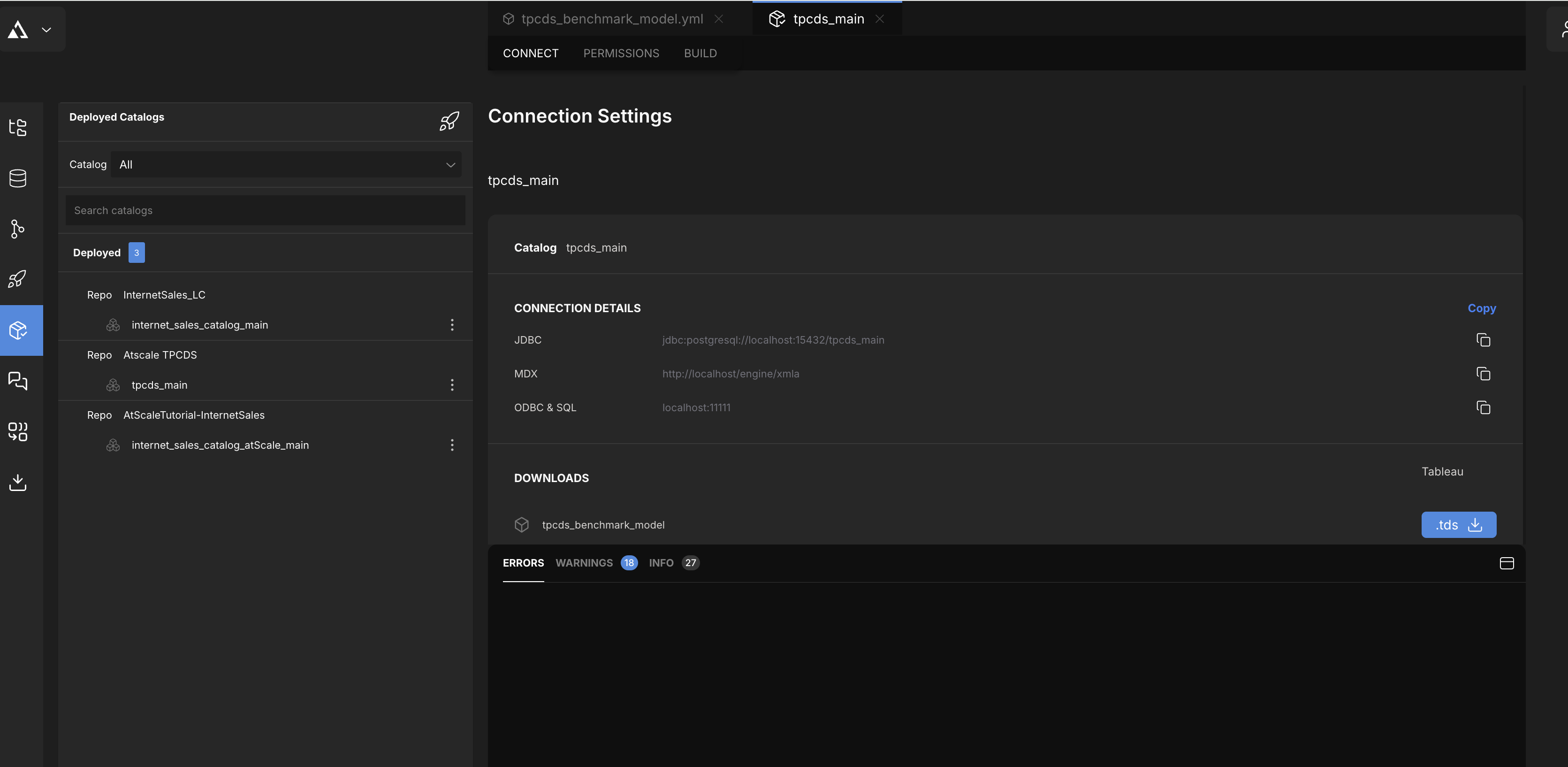
However, I do not have the Cube Browser on the left menu pain, so I can't tell if it is queryable: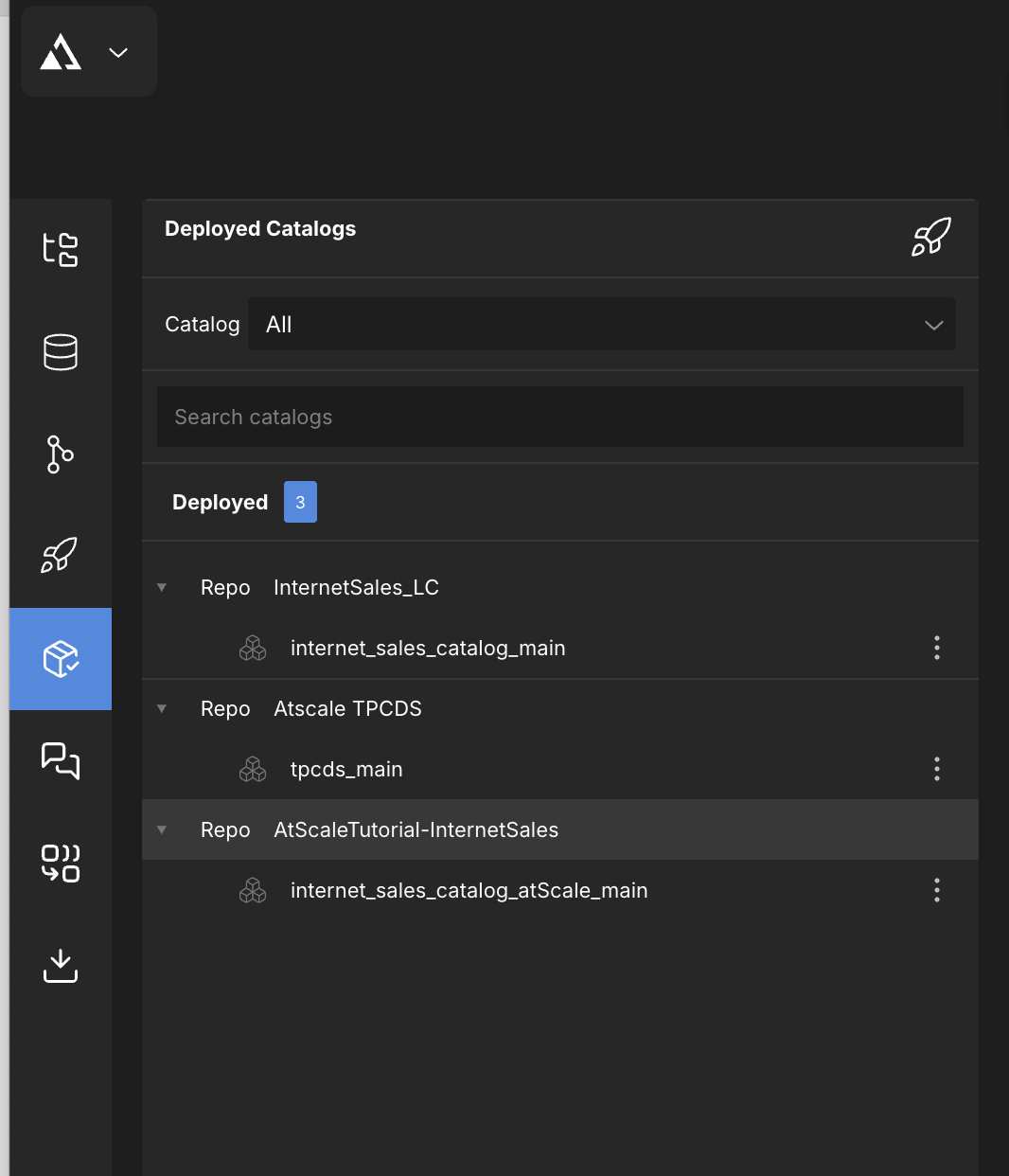
Would you know of any reason why I don't have the cube browser?
Thank you
I'm not exactly sure what you mean by cube browser - once you have that model deployed you should be able to use the endpoints you included in your screen shot to query the models - or download the .tds to view it in Tableau.

 Let me know if that clears it up a bit or if you are unable to query one of those models that appear to be deployed currently
There is a Data Preview option that you can use to view data in a Fact table but thats within the Repo Browser and is not a view of the entire model
I wasn't sure what the name of the browser was, but when i was watching a tutorial, it had an icon between the data sources and the source control.
I am installing the free version of Tableu to see if I can view the file format.
Thank you
Hi,
Connecting to the TDS file worked! I am able to query! Thank you. I will submit a new post to ask about connecting via Python (Jupyter Notebook)
Please sign in to leave a comment.