Unable to connect to AtScale from Power BI Desktop


I deployed a model in Atscale Developer Edition and copied the MDX+token from connection details. When I pasted it to the server name in Power BI, this is the error. The MDX+token was in the format http://localhost/engine/xmla/******.
Comments
4 comments
Are you connecting to an AtScale instance on the same local machine? If using Parallels take a look at updating your host file...
https://help.atscale.com/hc/en-us/community/posts/25995949542295-How-can-I-connect-my-Excel-to-AtScale-when-using-Parallels-and-Docker-Desktop-on-the-same-machine
Roshni S Did you find the solution? I am facing the same issue with community edition.
Hey Sangram Parmar - what does your deployment look like (IE are you connecting all within the same laptop via parallels as the linked article describes) ? If so did you check that host file setting? And can you connect via Excel or JDBC?
I can connect from Tablau but not from PBI using the MDX connection string.

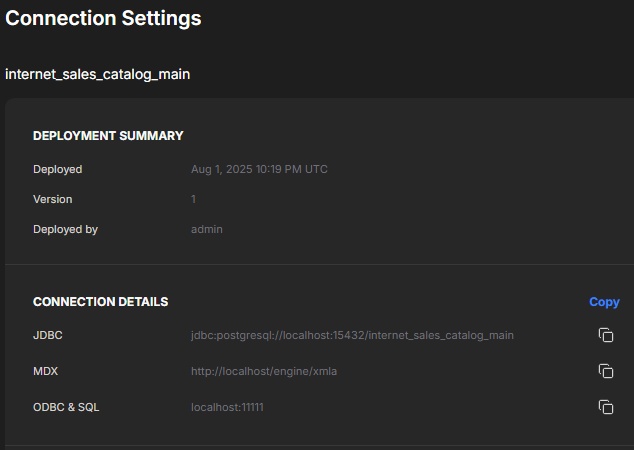
I'm running the Dev Edition on an Azure Windows Server Docker environment.
Changing
http://localhost/engine/xmla
to
http://atscale/engine/xmla
did not help
The Dev Ed https://youtu.be/FXm97ZbcJ00?list=PLTg4wdfs8kjAINC7KtQR2OgfDS-vwfgE7&t=377 video shows and uses the MDX + Token option that I do not have. Any particular reason?
Excel has the same issue.
Any Advice?
Please sign in to leave a comment.